
Saved Queries
Saved Queries basically work the same way as Views and share the same features. The main difference is that Saved Queries can be used as data source when performing other tasks like creating Batches or Productions.
Create Saved Query
Section titled “Create Saved Query”- On the tab Saved Queries click the button NEW SAVED QUERY in the top right corner.
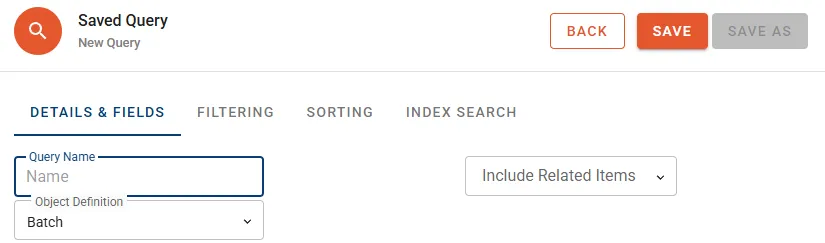
- Define Query Name and select the Object Definition to be queried from the drop-down menu.
- Follow the same procedure as described for Views to define which columns to display and what conditions to be applied for filtering and sorting of the records.
Manage Saved Queries
Section titled “Manage Saved Queries”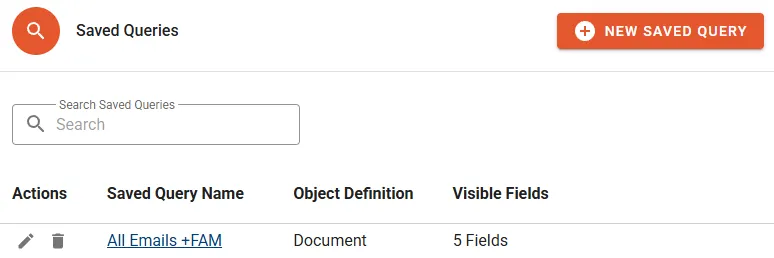
The following properties will be displayed in the Saved Query list:
- Saved Query Name shows a link to access the list of resulting records.
- Object Definition is indicating the object type the Saved Query has been created for.
- Visible Fields is the count of Fields to be displayed as columns.
Actions
Section titled “Actions”- Edit to change the Saved Query name or properties.
- Delete to permanently remove the Saved Query.