
Clients
Clients are used to give clarity about the User’s associations to entities. Like for example the company or organization they work for with the option for multiple assignments in case of concurrent engagements.
The Client assignment has no functional effect and is solely used for administrative purpose.
Create Client
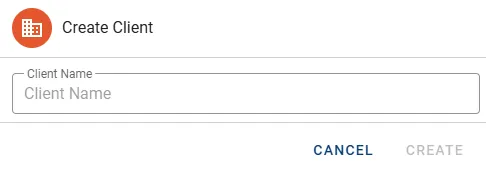
Section titled “Create Client”- In the Clients tab click the button CREATE CLIENT in the top right corner.

- In the Create Client dialog define a Client Name and press the button CREATE.
Manage Client
Section titled “Manage Client”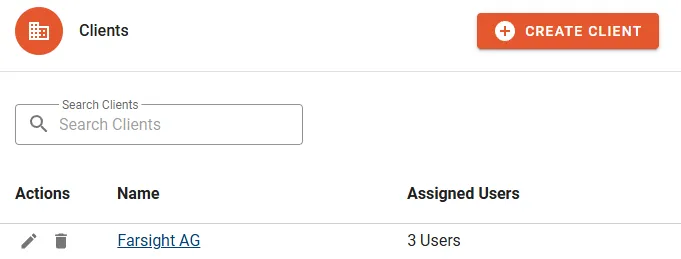
The following properties will be displayed in the Client list:
- Name of of the Client.
- Assigned Users does show the count of assigned Users.
Actions
Section titled “Actions”- Edit to update the name of the Client.
- Delete to permanently remove the Client.
- Manage Users
Details
Section titled “Details”Assigned Users
Section titled “Assigned Users”- Click the button MANAGE USERS to configure assignments.
- Change Group memberships by selecting/unselecting designated Users.
- Click the button CONFIRM to complete the change.