
Management
Settings
Section titled “Settings”
Conversion Settings
Section titled “Conversion Settings”- Show Track Changes does render tracked edits in the converted PDF version of Microsoft Word files.
Layout Review Tracking
Section titled “Layout Review Tracking”Use this section to configure tracking Fields for any of the available Document Layouts. This will automatically propagate the User and timestamp of the last edit performed in Document Viewer. Please note that edits performed elsewhere e.g. mass edits are not being tracked.
- Click the plus icon next to Layout Review Tracking.

- This opens the Add Layout Review Tracking dialog.
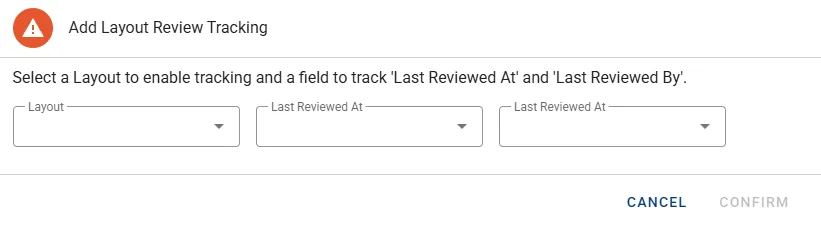
- Select the Layout to be tracked.
- For input Last Reviewed At select the designated Field of type Date & Time.
- For input Last Reviewed By select the designated Field of type Text.
- Press the button CONFIRM to complete and close the dialog.
- The new record can now be seen in the list of Review Trackers:

- Finally press the button SAVE to make the changes persistent.
Trackers cannot be edited after creation. Delete the tracker using the bin icon and re-create to implement any changes.
Job List
Section titled “Job List”
The job list will hold information on any active jobs and display the following attributes:
- Job Name
- Status
- Max Workers
- Worker Status
- Resource Usage
- Queue Information