
Groups
Groups are User groups to be more specific and used for access management. Groups can have associations to both permission models in Farsight:
- Roles for Platform level access.
- Access Control Planes for Workspace level access.
Create Group
Section titled “Create Group”- Navigate to the Groups tab and press the button CREATE GROUP in the top right corner.

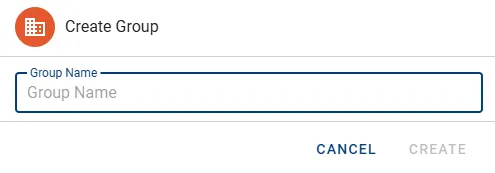
- In the Create Group dialog define a Group Name and press the button CREATE.
The new Group will appear in the list with no Users and no Roles assigned. See the next section on how to take care of these assignments.
Manage Group
Section titled “Manage Group”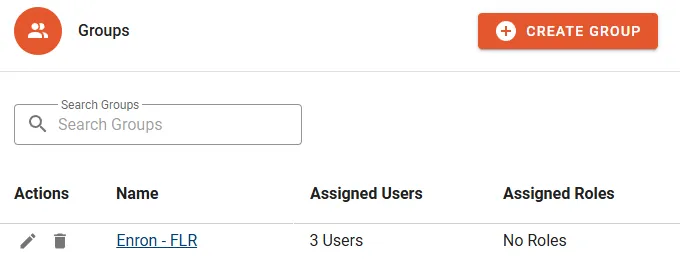
The following properties will be displayed in the Group list:
- Name of the Group.
- Assigned Users displays the count of assigned Users.
- Assigned Roles displays the count of assigned Roles.
Actions
Section titled “Actions”- Edit can be used to update the name of the Group.
- Delete to permanently remove the Group.
- Manage Users
- Manage Groups
Details
Section titled “Details”Assigned Users
Section titled “Assigned Users”The Assigned Users sub tab lets you manage assigned Users.
- Click the button MANAGE USERS to configure assignments.
- Change Group memberships by selecting/unselecting designated Users.
- Click the button CONFIRM to complete the change.
Assigned Roles
Section titled “Assigned Roles”The Assigned Roles sub tab lets you manage assigned Roles.
- Click the button MANAGE ROLES to configure assignments.
- Change Client memberships by selecting/unselecting designated Roles.
- Click the button CONFIRM to complete the change.