
Markup Sets
Markup Sets can be used to separate different layers of Redactions or Highlights. For more details on the available markup features check section Markup Tools.
Create Markup Set
Section titled “Create Markup Set”- On the Markup Sets tab, click the button NEW MARKUP SET in the top right corner.

- The New Markup Set dialog is presented:
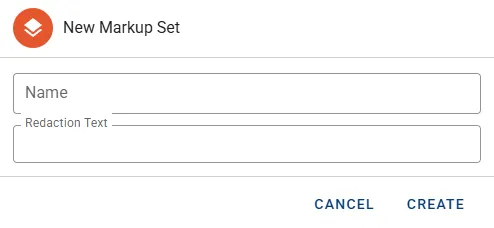
- Define the Name for this Markup Set.
- Optionally a list of predefined cover texts can be supplied via Redaction Text. These are then presented as context menu options in the Document viewer when applying text based Redactions.
- Press the button CREATE to complete.
Manage Markup Set
Section titled “Manage Markup Set”The following attributes are presented by the default view:
- Name
Actions
Section titled “Actions”- Edit to rename the Markup Set.
- Delete will permanently remove the Markup Set including all Redactions and Highlights.